PRACTICAL AUTOMATION FOR LOCAL BUSINESSES
Practical workflow and AI automation.
Workflow reviews and automation for tasks such as reminders, data entry, invoicing, follow-up, and connections between business tools in Halton and Mississauga.
Discuss a workflow
Tell us what task or process you want to improve. We’ll review your message and follow up about next steps.
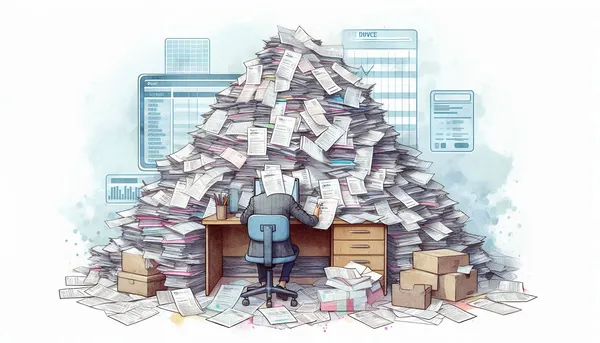
This service is for organizations that have repetitive, rules-based work or structured steps that could be streamlined. Examples on this page include appointment reminders, invoice and form processing, customer follow-up, task updates, and links between existing tools. We first review the process and identify where automation could help before choosing a solution.
Not every workflow needs AI. The right approach depends on the task, available data, systems, privacy needs, and how a person will check exceptions. We can scope an initial workflow and discuss how to measure its usefulness before expanding it.
Planning a practical automation
For small businesses with repetitive, rules-based work, a workflow review helps determine where automation may help and where human review remains important.
- Map the steps, data, triggers, handoffs, and exceptions
- Check supported tools, integrations, permissions, and security requirements
- Agree human review for exceptions or consequential outputs
- Test a defined workflow and measure it against an agreed baseline
Actual time saved, accuracy, and costs depend on the process and implementation. Measure results before claiming improvements.
Assess the workflow before choosing a solution
For small businesses, a useful first step is to document the current process, inputs, tools, handoffs, and exceptions. This helps determine whether an existing feature, rules-based automation, or AI-assisted step is appropriate.
Any expected time savings or accuracy improvements should be measured against your current process. Results vary by workflow and implementation.
Workflow tasks that may suit automation
Project Management
Route task updates and approvals through a defined workflow, with exceptions visible to the people responsible.
Appointment Scheduling
Connect booking requests with confirmation and reminder steps, subject to the calendar and scheduling tools in use.
Customer Reminders
Send reminders and follow-up messages based on agreed triggers, timing, and customer records.
Sales Automation
Pass qualified inquiry details into a CRM or sales process for review and follow-up by your team.
Billing & Invoicing
Transfer approved billing details between systems and keep payment handling within the tools and controls you use.
Social Media Marketing
Schedule approved content through connected tools; keep editorial decisions and final review with your team.
Data Entry & Record-Keeping
Extract and route information from forms into business records, with review steps for incomplete or uncertain entries.
Follow-Up Management
Create follow-up tasks from approved customer events, with timing and ownership defined by your process.
FAQ
How to assess an automation idea
- Map the inputs, rules, system connections, exceptions, and accountable user
- Check supported integrations, permissions, privacy requirements, and likely operating costs
- Choose rules-based automation first when it can reliably handle the task
- Define human review for uncertain or consequential outputs
- Test against an agreed baseline and maintain the workflow when connected systems change